Local by default
No account, automatic cloud sync, advertising or analytics SDK. Project content stays in the app sandbox until you export it.
PhaseSnap / iPhone / Offline field reports
PhaseSnap is an iPhone app for people who document work on job sites and in the field. Keep project photos, device-recorded context, notes and clean PDF or ZIP exports together on your iPhone.
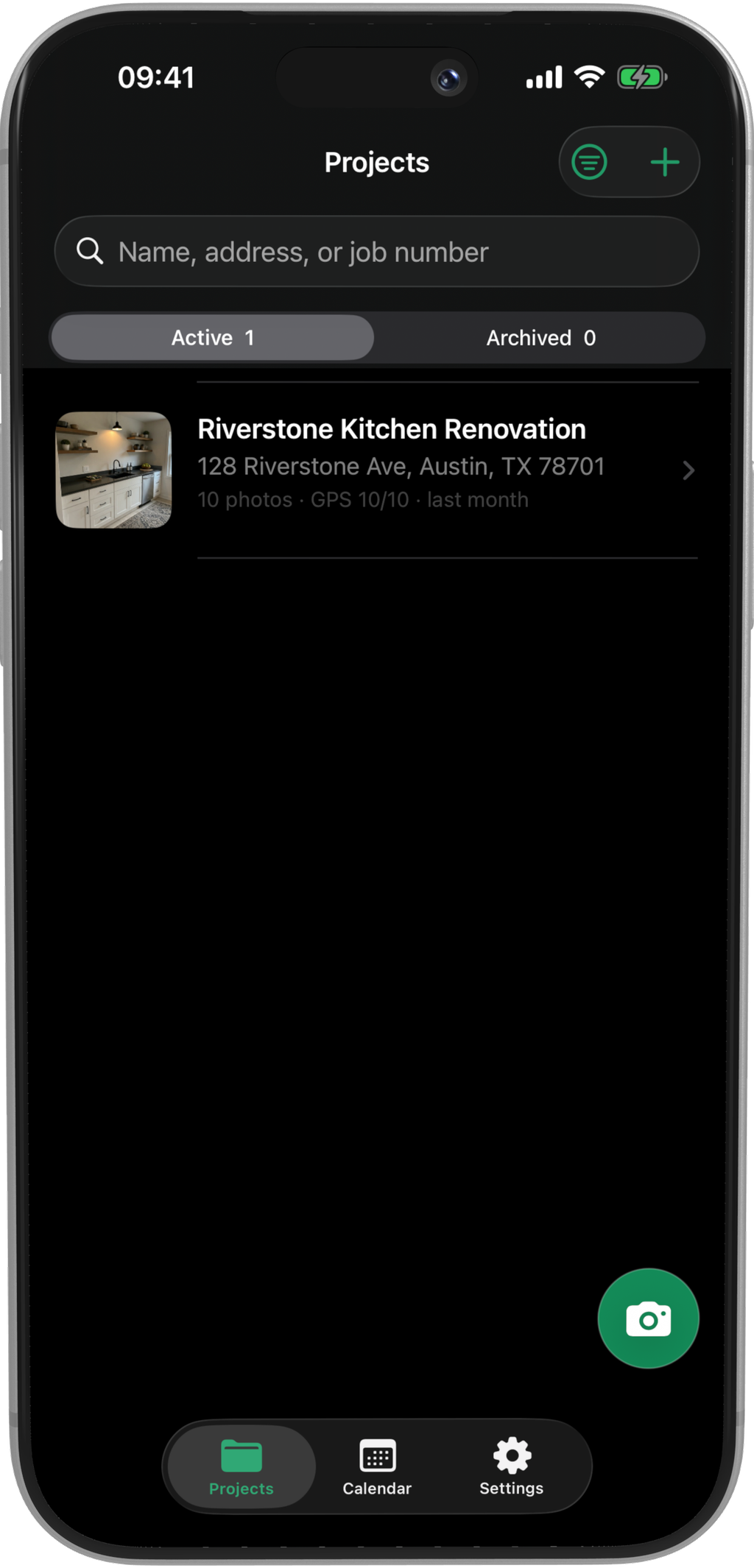
Give each project a job number, client, contact, address and map location. Captures, scheduled work and exports stay attached to the same record.
01 — PROJECTS
Create a project before the camera roll gets crowded. PhaseSnap keeps the identifying details and all related photos in one place.
02 — CAPTURE
Take one photo or a full batch, or import selected images from the photo library. PhaseSnap labels camera, photo metadata, import-time GPS and user-entered site labels separately.

03 — COMPARE
Select before and completed photos from the progress timeline, save the pair, then inspect the change with a reveal slider or side-by-side view.

04 — CALENDAR
Schedule site visits, construction, inspections and handoffs. Each task can carry its time, status, location, notes and attached project.

05 — EXPORT
Export the full project or selected photos. PhaseSnap assembles everything on the iPhone. Nothing leaves until you open the system share sheet.

BUILT FOR CONTROL
No account, automatic cloud sync, advertising or analytics SDK. Project content stays in the app sandbox until you export it.
PhaseSnap identifies capture-time GPS, photo metadata, import-time GPS and user-entered labels separately.
You can recover deleted projects and photos on the iPhone for a maximum of 30 days. After that, PhaseSnap removes them from the iPhone.
PhaseSnap / App Store
Start with 3 projects and 10 photos for each project. Lifetime Pro is a one-time purchase. It unlocks projects and photos with no limit, ZIP packages, and PDF reports without PhaseSnap branding. Comparison and branded PDF reports stay free.