Stampoir / iPhone · iPad / Stamp identifier

Scan a stamp
know its story

Point your camera at a postage stamp. Stampoir straightens it and the AI tells you what it is, where it is from, how rare it is and what it may be worth. Your album keeps every stamp you scan.
PlatformiPhone · iPad · iOS 26+
Version1.0
Size12.8 MB
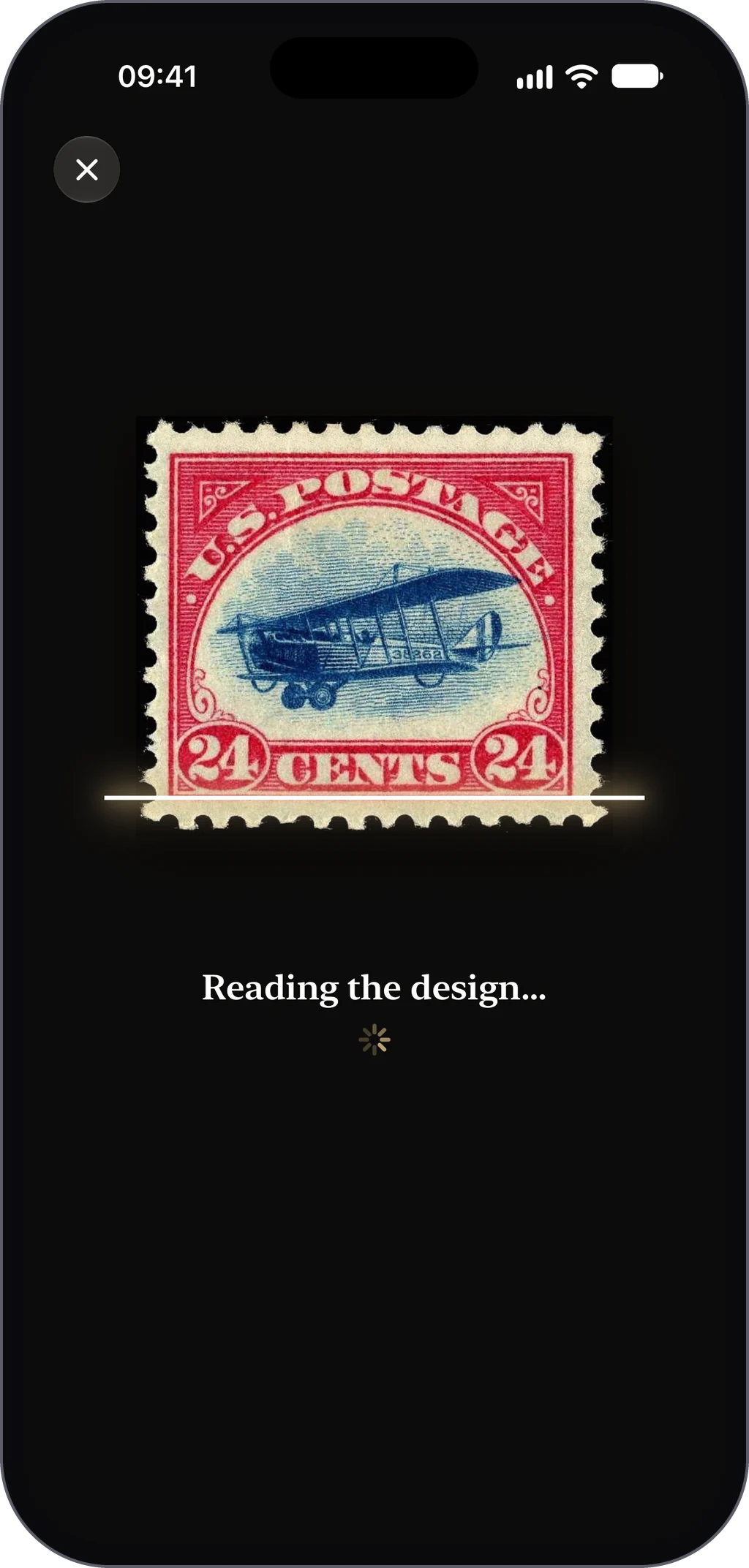
Stampoir reading a stamp: the AI studies the design

Three steps
to know your stamp

1. Point the camera at a stamp, pick a photo, or try a built-in sample.
2. Stampoir finds the stamp and straightens it.
3. Read the title, country, year, value range, rarity and a collector’s tip.

01 — Identify

Know what
you are holding

Stampoir reads the stamp and tells you what it is. Results come in your language.

  • 01Title, country, yearThe face value and colour too, and the series when it is known.
  • 02Catalog numbersScott, Stanley Gibbons, Michel and Yvert & Tellier, when known.
  • 03Condition notesMint or used, as far as a photo can show.
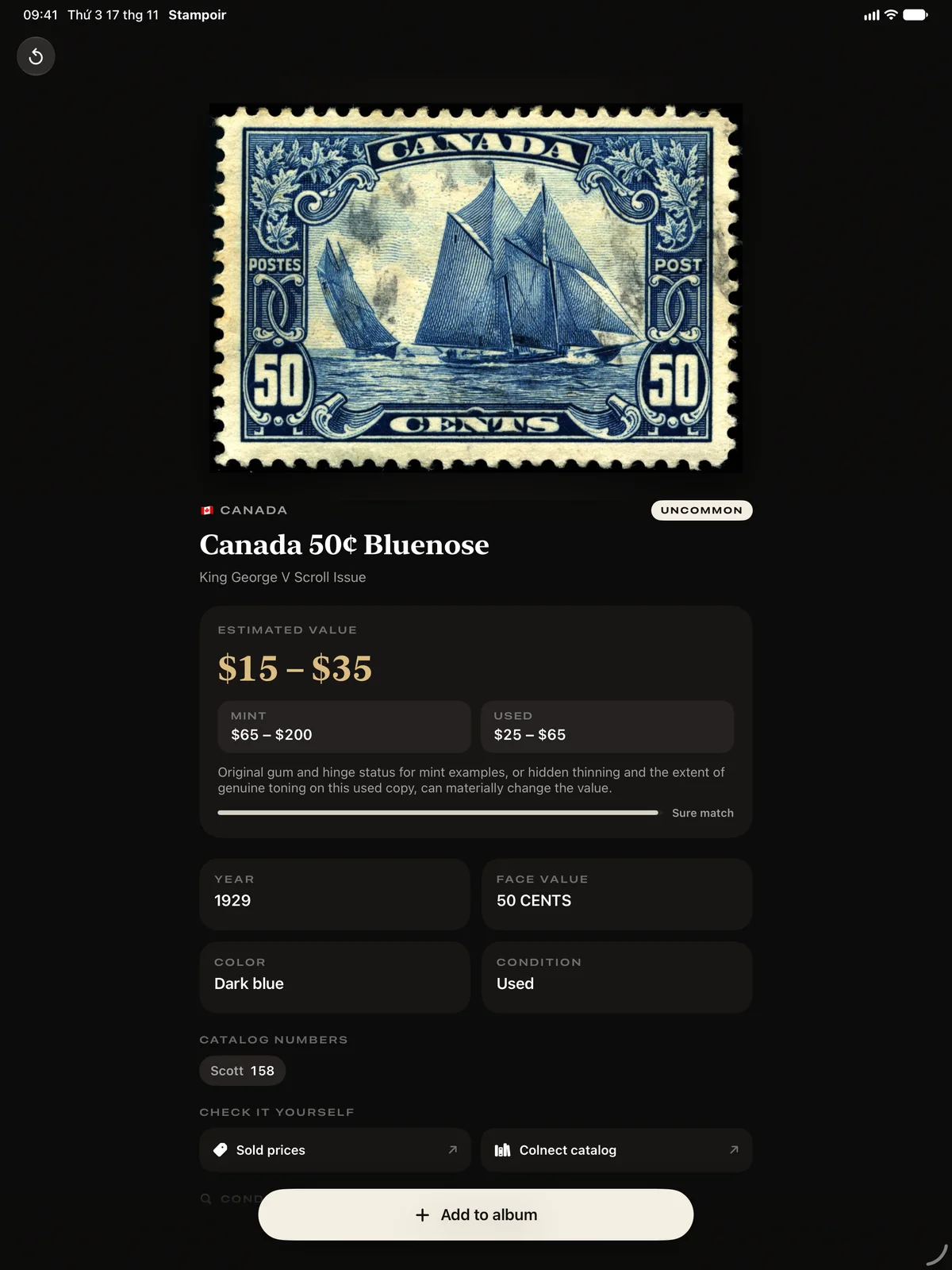
Result: Canada 50 cent Bluenose, estimated value, mint and used ranges

02 — Value

A value range
and a rarity

Every result has an estimated value in US dollars, a rarity level and a confidence level.

  • 01Estimated rangeA low and a high value in US dollars.
  • 02RarityCommon, uncommon, scarce or rare.
  • 03ConfidenceBest guess, Likely match or Sure match, so you know how far to trust it.
  • 04Mint and usedA typical value for a mint copy and for a used copy.
  • 05Could also beLook-alikes, shown when the AI is not sure.
  • 06Check pricesLinks to sold prices on eBay and to the Colnect catalog.
  • 07Same photo, same answerScanning the same photo again gives the same result.
Queen Victoria Penny Black with value, mint and used ranges

03 — Story

The story
behind each stamp

History, condition and a collector’s tip. All in your language.

  • 01ConditionMint or used, and what a photo can show.
  • 02Did you know?One short fact about the stamp.
  • 03Collector’s tipWhat to check before you buy or sell.
The stamp story: year, face value, catalog numbers, condition, a fun fact and a collector tip

04 — Album

Every stamp
in one album

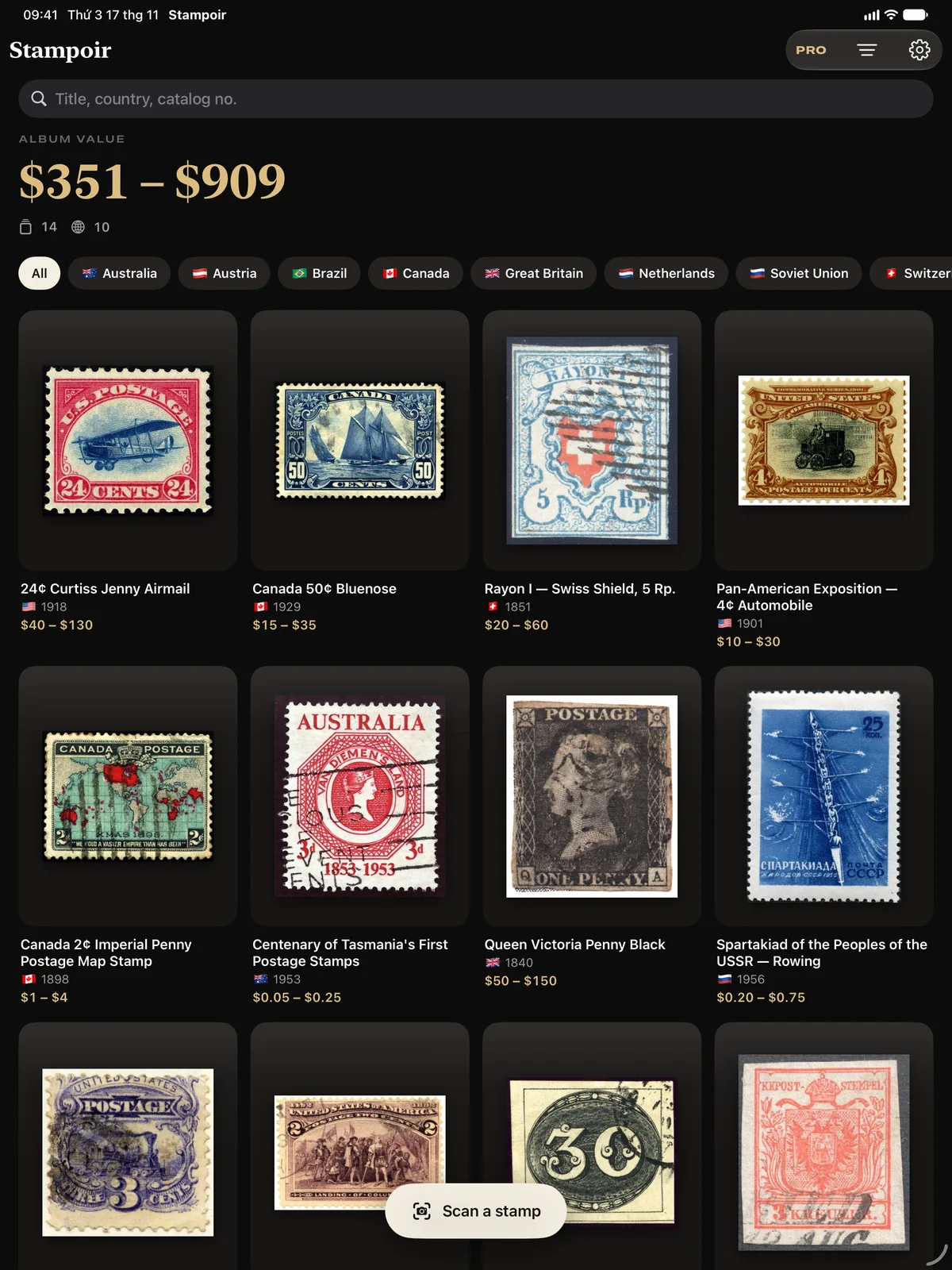
Each scan is saved on your device with its photo. See the total value of your album at a glance.

  • 01Counts and filtersStamps and countries in total. Filter by country and search.
  • 02Sort and notesSort by newest, value, country or year. Add a quantity and a note to each stamp.
  • 03Share and exportShare a stamp. Export the whole album to CSV with Pro.
The album: total value, country filters and search

05 — Your data

Your album
stays with you

The album lives on your device. There is no account, no analytics and no ads.

  • 01Asked firstStampoir asks for your consent before the first photo is sent.
  • 02Cropped photo onlyOnly the cropped stamp photo is sent, over HTTPS. The server does not store or log it.
  • 03No accountOpen the app and start.
Before the first scan: Stampoir asks for your consent before sending a stamp photo

iPad

iPad: a stamp result with value rangesiPad: the album with total value and filters
01

Eight languages

The app and its results come in English, German, French, Italian, Spanish, Brazilian Portuguese, Japanese and Vietnamese.

02

A built-in sample

No stamp at hand? Try a public-domain sample stamp.

03

Estimates, not appraisals

Values are AI estimates for reference. They are not an appraisal or an offer to buy.

Price

Free to try
Pro when you need it

01

Free

3 free scans.

02

Monthly

$6.99 a month. 150 scans a month. Auto-renews, cancel anytime.

03

Yearly

$29.99 a year with a 7-day free trial. 150 scans a month.

Stampoir / App Store

Your next stamp
has a story

For iPhone and iPad with iOS 26 or later. In 8 languages. Free to download on the App Store. Prices are shown in the App Store for your country.